

A Power Outage Backup Plan for CPAP Users
Build a CPAP outage kit with a charged battery, the correct cable, a tested overnight setup, and a practical way to recharge.
By EASYLONGER · Mar 27, 2025 ·

Quick answer: Build the backup plan around your exact PAP model, normal settings, expected outage length, and a tested cable. Charge and test the complete setup before severe weather or a planned shutoff.
Build the plan before the outage
A useful backup plan specifies the machine, cable, normal comfort settings, tested overnight runtime, and at least one practical way to recharge after the first night.

Introduction: When the Lights Go Out, Your Breathing Shouldn’t
Hurricanes, storms, and remote trips can leave you without wall power. If you use CPAP, include a compatible backup battery and a recharge plan in your preparations. Discuss an individual contingency plan with your sleep clinician if an interruption is likely.
Part 1: Why You Need a CPAP Battery (Even If You Don’t Camp)
1. Natural Disasters Don’t Warn You First
- Plan: Check local storm warnings and utility outage information before the risk window begins.
- Power dependency: A CPAP needs a working power source. Keep the charged battery and correct cable ready before an outage.
2. “But I Have a Power Bank…” Won’t Cut It
- Capacity matters: Measure the complete setup’s power draw in watts. Required energy in watt-hours depends on that draw and the hours of use.
- Voltage matters: Many CPAPs need 24V DC, not 5V USB.
3. The Hidden Camping Crisis
- Many national parks have zero electrical hookups.
- A power plan can make off-grid camping easier for CPAP users.
- Solution: A true CPAP battery for camping lets you sleep under the stars safely.
Part 2: A Battery Built for CPAP Emergencies
Key Features That Actually Matter
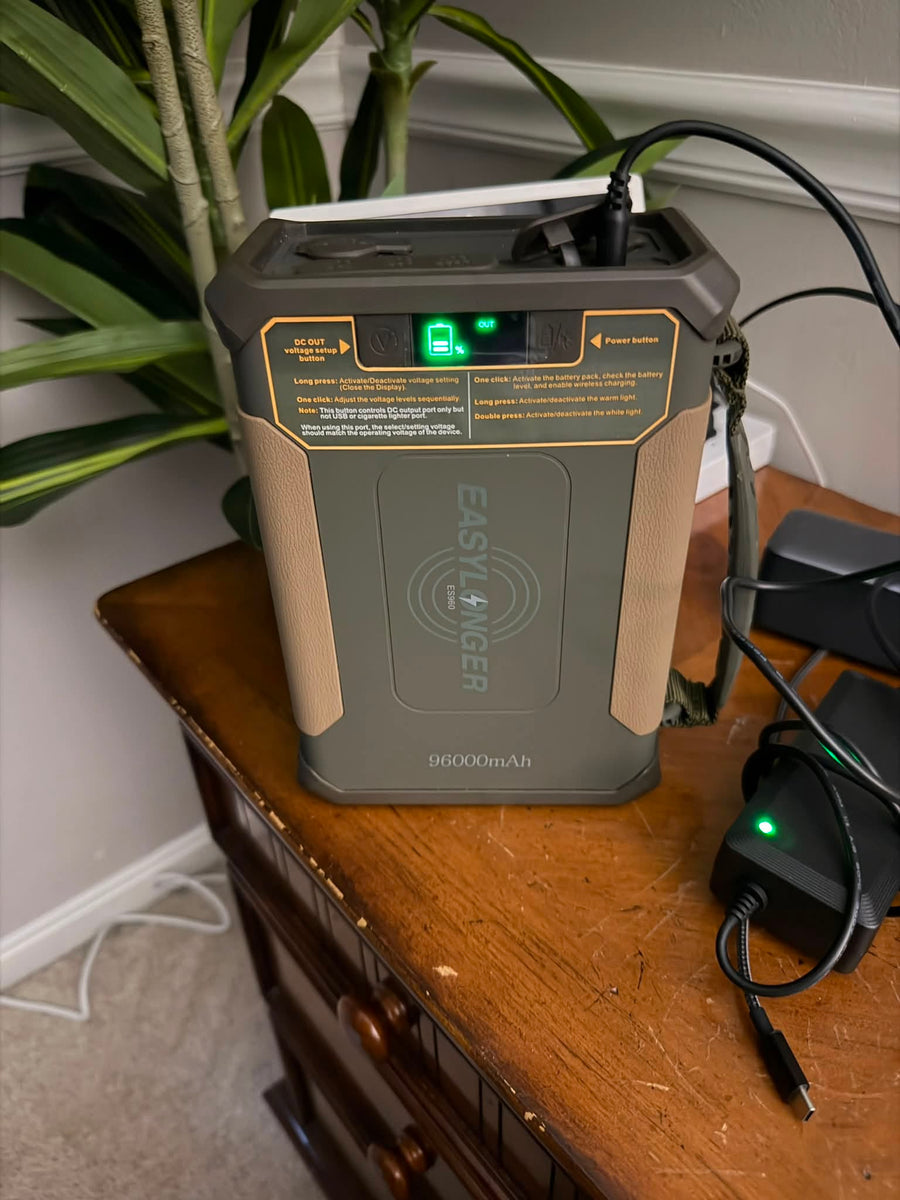
297.6Wh reserve for multi-night planning. The ES960 page lists about 3 nights at 8.4W (an AirSense 10 at 6 cmH2O with the humidifier and heated tube off, 8 hours a night). Higher pressure means fewer nights.
Works with 25 CPAP models: ResMed AirSense 11, DreamStation 2, travel models like AirMini.
Charge anywhere: Wall outlet, car charger, or solar (great for an off-grid CPAP battery setup).
“But Will It Work With My Machine?”
- ResMed S9/AirSense 10-11: Use included DC cables.
- Philips DreamStation: Compatible (humidifier off).
- Travel CPAPs: Use the connection documented for the exact machine. Do not connect an AirMini or Z2 to ordinary USB-C output without its supported conversion and cable system.
Part 3: Beyond CPAP: Power for Other Essentials
The ES960 can also power compatible small devices through its supported ports. Wireless charging is for compatible phones; laptops and other devices need their own suitable cable and port. Reserve enough energy for your CPAP before charging other gear, and check the rating of each output.
Final Verdict: Don’t Wait for the Next Storm
A portable CPAP battery is essential—like a smoke detector or first-aid kit.
3 Steps to Prepare Your CPAP Power Kit:
- Test your CPAP on battery power before you need it.
- Follow the storage instructions. Use the model’s recommended storage charge level and top-up interval, and charge and test it before a forecast outage. Do not assume that months in storage leave a full night of reserve.
- Pack it in your emergency kit.
References
- American Sleep Apnea Association – Sleep Apnea Health Risks
- U.S. EIA – Power Outage Trends
- NIH – OSA and Heart Disease
Your readiness checklist
- Charge the battery before the risk window begins.
- Test one normal night with the exact machine and cable.
- Record the remaining charge indication in the morning: percentage or status bars, depending on the model.
- Keep the manual, support contact, and recharging options together.
Continue planning
Read the power-outage backup guide and compare options in the CPAP battery collection.
Run the numbers for your CPAP.
Pick your machine and settings. The calculator shows nights for every battery.
Keep reading
 Power outages
A 7-Day Hurricane CPAP Power Plan: Battery, Solar and Reserve
Build a seven-day CPAP outage plan with daily energy budgeting, realistic solar checks, stored reserve and a no-sun fallback. Includes a worked example and setup checklist.
Sep 14, 2026 Power outages
CPAP Battery Backup for Power Outages: What to Know
Prepare CPAP backup for US power outages using a matching cable, measured runtime, enough reserve and a reliable recharge plan.
Jul 6, 2026 Power outages
Hurricane Season CPAP Backup Plan: Prepare for Power Outages
Prepare CPAP power for hurricane season with a tested battery, practical recharge plan, packed supplies and verified pass-through behavior.
May 9, 2026