

CPAP Battery vs Power Station: Compare 3 Power Routes
Compare dedicated CPAP batteries, power-station DC and power-station AC setups, with practical checks for runtime, compatibility, travel and backup use.
By Brooks · Sep 12, 2026 ·
Decision Guide · Product Reviews
CPAP Battery vs Power Station: Compare 3 Power Routes
Compare dedicated CPAP batteries, power-station DC and power-station AC setups, with practical checks for runtime, compatibility, travel and backup use.

Product facts
Choose the power path before the battery size
Quick answer: compare three complete setups: a CPAP battery with its documented DC cable, a power station with a compatible DC converter or cable, and a power station using the CPAP's original AC power supply. The best fit depends on your exact machine, required runtime, other loads and recharge options.
A dedicated battery can keep the CPAP reserve separate. An existing compatible power station may already do the job. Neither category is automatically quieter, lighter or more efficient in every configuration.
Scope: this guide is for CPAP/APAP backup planning, not a professionally specified backup for ventilators, life-support equipment or anyone who cannot safely tolerate a brief power interruption. Agree an appropriate backup and failure plan with your clinician and equipment provider. Never change prescribed pressure to extend battery runtime.
This is an EASYLONGER buying guide, not an independent head-to-head laboratory test. Product specifications, calculation examples and individual user results are different types of evidence.
Compare three ways to power a CPAP
| Power route | Where it fits and what to verify |
|---|---|
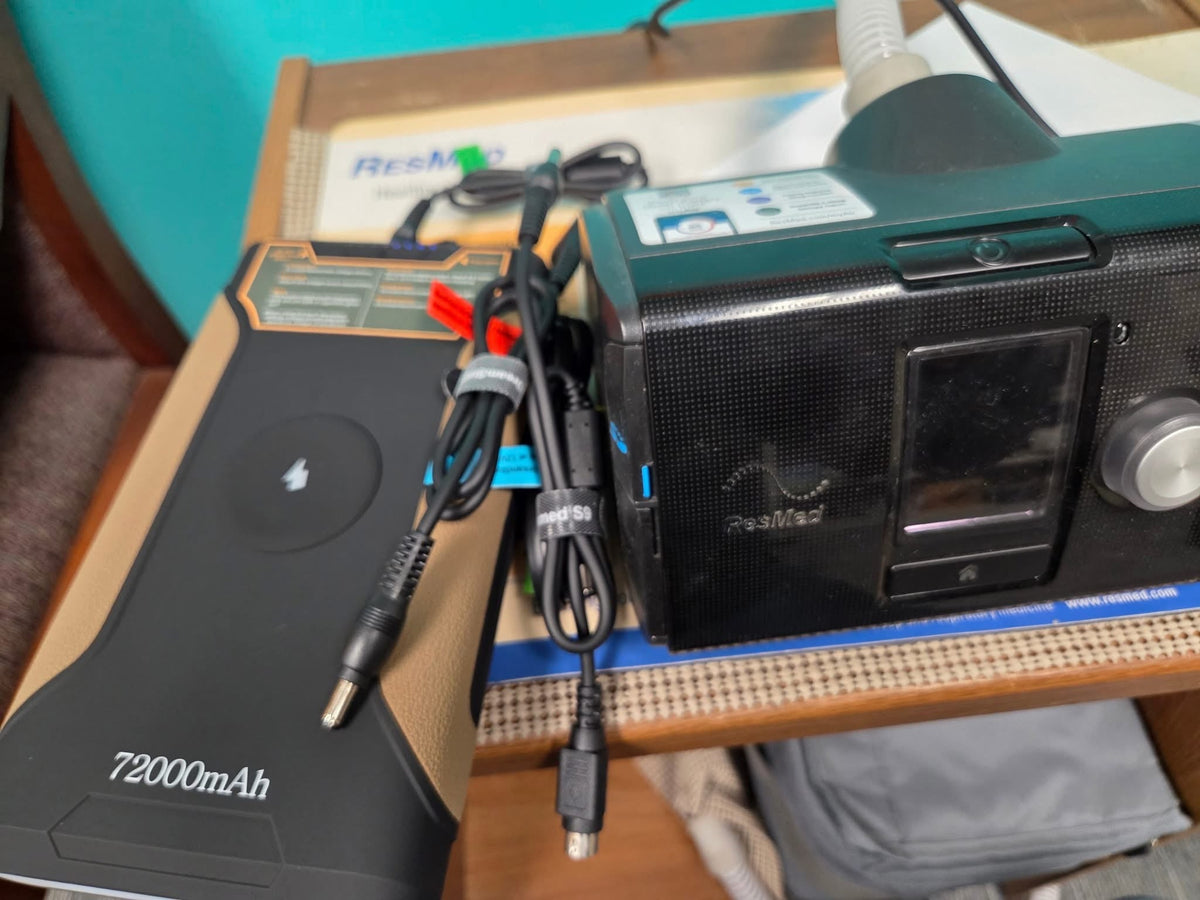
| CPAP battery + documented DC cable | A separate reserve for one machine. Match the exact battery and CPAP models, output voltage, current capability and designated cable. EASYLONGER includes the matching direct-DC cable for the CPAP models covered by the supplied cable set, so those setups need no separate cable purchase. Cable sets differ by battery model; verify the packing list. DC regulation or conversion can still use energy. |
| Power station + compatible DC converter/cable | An option when the station has an appropriate regulated DC output. It can avoid the AC inverter path, but may need a model-specific DC-DC converter. Check the port rating, converter requirements and low-load auto-off behavior. |
| Power station AC + original CPAP power supply | Useful when an approved AC route is available or household AC appliances also need power. Confirm the station output voltage, frequency, waveform and continuous/startup ratings meet the equipment requirements. Include inverter overhead and shared loads. |
Power stations are not AC-only by definition. For example, Jackery documents a DC car outlet on Explorer 300. That does not approve it for every CPAP: the complete machine-specific connection still needs confirmation.
Compare the complete kit's price, weight, cables, usable runtime, charging behavior and sound under the same load. A fanless battery avoids cooling-fan noise, while a power station's fan behavior depends on the model, load and charging state. Do not infer a noise level or runtime winner from the category name.
Match the setup to your situation
One CPAP during a home outage
A dedicated reserve can simplify household power allocation. ES960 and ES960 PRO are 297.6Wh LiFePO4 options for ground-based backup plans, but their capacity alone does not prove that your machine will run for a whole night. A suitable power station may be preferable if it already meets your requirements or more reserve is needed.
CPAP plus household AC appliances
A power station can serve mixed loads when it is correctly sized for them. Account for refrigerator startup demand as well as ongoing consumption, and protect the CPAP reserve from other devices. For any additional medical equipment, obtain its manufacturer's power requirements and your care team's backup guidance rather than relying on this general comparison.
Passenger air travel
ES270 is 99.9Wh and ES400 AIR is 148Wh. Under the general U.S. rules for these spare lithium-ion batteries, up to 100Wh is the ordinary size limit; more than 100Wh up to 160Wh requires airline approval, with no more than two of the larger spare batteries. ES720-family and ES960-family batteries exceed 160Wh and are not options for this passenger spare-battery route.
Carry spare batteries in the cabin, protect terminals against short circuit, and remove them from a bag that is gate-checked. Confirm every operating carrier's current limits: an airline can be stricter. Permission to carry a battery is not permission to use or charge it in flight. Plan for the actual treatment time and any carrier-required reserve, not simply one night. See FAA PackSafe guidance.
Car camping or an RV trip
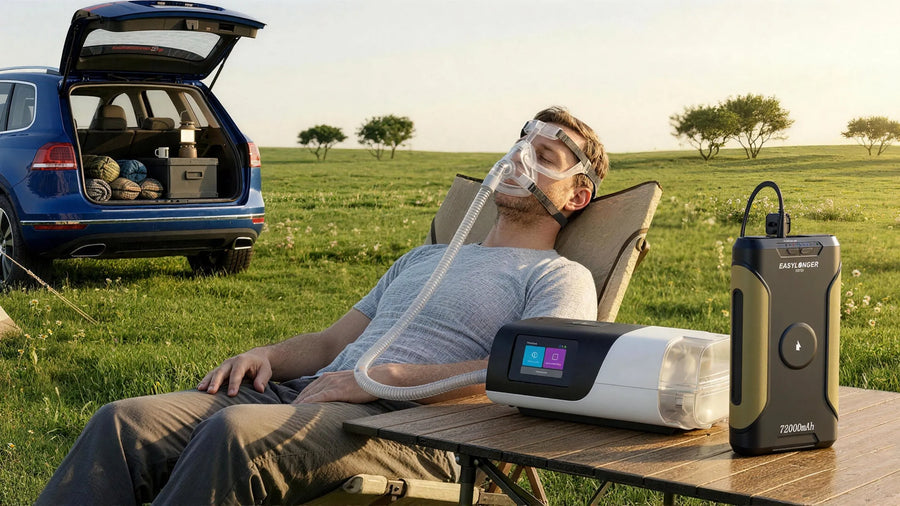
Standard ES720 offers 266.4Wh, while ES720 PRO offers 276.48Wh; ES960 and ES960 PRO offer 297.6Wh. Choose by the verified configuration, carrying weight and recharge access. If your existing station has a suitable DC route, compare that option before buying another battery. For vehicle charging or vehicle-powered CPAP use, follow both manufacturers' instructions; do not assume the same engine-running rule applies to charging a battery and powering the CPAP directly.
The details that change the decision
Exact cable and electrical requirements
Record the CPAP's full model and original power-supply label. A matching connector shape is not enough: confirm the required voltage, polarity, current and startup capability, any device identification requirements, and the cable or converter specified for that route. Do not try arbitrary voltage settings or a generic cable because it fits.
An EASYLONGER compatibility listing describes EASYLONGER's documented connection; it is not a claim that the CPAP manufacturer endorses third-party batteries. Check the CPAP maker's accessory instructions and restrictions separately. If the documents disagree, ask the equipment provider or the relevant manufacturer before connecting power.
Comfort heat and shared loads
Heated humidification and heated tube can materially increase energy use. Size the backup for the comfort settings you actually need. Only consider lower comfort-heat settings when appropriate under your treatment and equipment guidance; never lower prescribed pressure for battery savings. Include phones, lighting and other loads in the same energy budget.
Pass-through is not a UPS guarantee
Charging while powering a device does not, by itself, establish uninterrupted output or a specified transfer time. Supported ports and connection sequences are model-specific. On a pass-through arrangement, the battery can still lose charge if the connected load exceeds the charging input. Check the exact product documentation and validate the permitted arrangement while awake with reliable fallback power available.
Evidence behind runtime
Use a manufacturer test only with its stated machine, mode, pressure, tubing, humidifier setting, temperature and connection path. A customer report can demonstrate what worked for that person; a calculator can illustrate assumptions. Neither establishes a universal number of nights for a different setup.
Size the backup without turning estimates into promises
-
1. List the complete load
Write down the exact CPAP, planned use hours, pressure mode, humidifier and heated-tube settings, plus any shared devices. The maximum wattage printed on an adapter is not the machine's average overnight consumption.
-
2. Separate energy from power limits
Battery Wh helps estimate duration. Output watts, current limits and startup behavior determine whether the equipment can run at all. Use relevant measured energy from your real setup or a clearly identified manufacturer test, not an unexplained watts-per-pressure rule.
-
3. Use a calculation only as a starting point
Illustrative arithmetic, not an ES960 or CPAP test: a 297.6Wh battery, an assumed 82% usable-energy factor and a hypothetical 20W average load give 297.6 × 0.82 ÷ 20, or about 12 hours. Applying a separate illustrative 0.85 planning factor gives about 10 hours. These factors are not measured efficiency or a guaranteed safety reserve; your validated plan may require more margin.
The runtime calculator is a planning aid. Review its assumptions and compare them with your own equipment and settings.
-
4. Validate safely before relying on it
After checking the instructions and connection, begin with a short awake test where reliable power can be restored immediately. Stop and restore the established safe setup if there is an error, interruption, unusual heat or other abnormal behavior. Only proceed to longer checks when appropriate for your treatment and backup plan. Do not use a sleeping-to-empty test to discover the battery's limit.
-
5. Plan the next charge and failure route
Record actual use, remaining-charge indications and charging time, allowing for their uncertainty. For a multi-day trip or outage, identify when charging is realistically available and what you will do if it fails. Set the point to switch to confirmed reliable power before the reserve needed for your next treatment period is lost.
Keep the backup ready between uses
Keep the battery, designated CPAP cable and documented charger together. Follow the exact model's instructions for initial charging, maintenance charging, storage temperature and ventilation. Recheck the setup before a trip or storm and after changing the machine, cable or settings.
Battery bars and percentage displays are estimates, not precise remaining-runtime instruments. A display that appears unchanged after light use does not by itself prove a fault. If something fails, restore your established safe power or emergency plan first; collect label photos, error messages and setup details for support after the situation is stable. Do not delay needed medical help to troubleshoot.
ES960 PRO's numeric percentage display and different output/charging options may help some owners; the shared 297.6Wh rating does not mean PRO automatically delivers more CPAP runtime. Compare the ES960 and ES960 PRO specifications and the included equipment for the exact version being purchased.
Purchases from easylonger.com include a five-year warranty. Purchases from other authorized platforms include three years; eligible purchases can be registered for the five-year upgrade, subject to the posted terms and verification. Keep the receipt, model and product-label information.
Questions that still change the choice
Is a power station always the less efficient option?
No. A suitable DC route may avoid its AC inverter. Compare the complete connection path and actual load, including voltage conversion and standby overhead, rather than the label on the battery.
Can these EASYLONGER batteries power a household AC plug?
ES270, ES400 AIR, ES720-family and ES960-family models discussed here do not have a built-in household AC outlet. Their documented DC/USB outputs are not substitutes for an AC socket.
Can I use the original CPAP adapter with a power station?
Only when the equipment instructions allow the arrangement and the station's AC output and ratings meet the requirements. Adequate advertised wattage alone does not establish compatibility. Verify low-load shutoff and the full setup before reliance.
Which option is quieter?
Compare the exact models during both operation and charging. Fanless battery operation avoids a cooling fan, but no category-wide sound level or bedroom-noise guarantee follows from that.
Does 99.9Wh guarantee airline acceptance?
No. It is below the general U.S. 100Wh spare-battery threshold, but each operating carrier can impose additional restrictions. Carrying, in-flight operation and charging are separate questions to confirm.
Does pass-through guarantee uninterrupted CPAP power?
No. Pass-through is a charging-and-output feature, not proof of UPS performance. Use only a documented setup, and obtain an appropriate professional backup plan if even a brief interruption would be unsafe.
Sources and decision tools
Regulatory and equipment guidance sets the boundaries; EASYLONGER product pages describe our products, not independent medical approval. Specifications and carrier policies can change.
- FAA: spare lithium batteries and passenger baggage
- FDA: medical devices during natural disasters
- Jackery Explorer 300: manufacturer specifications, including DC output
- EASYLONGER compatibility guide: confirm the exact machine and connection
- EASYLONGER runtime planning calculator
- EASYLONGER warranty and registration terms
Setup references
Check the cable path, bedside setup and storage plan


Before you buy
Check the setup before choosing capacity.
Use the exact model, documented power route, required settings and realistic recharge plan.
Open the planning calculatorRun the numbers for your CPAP.
Pick your machine and settings. The calculator shows nights for every battery.
Keep reading
 Buying guides
EASYLONGER ES720 Review: Off-Grid CPAP Power Solution 2026
Compare the standard ES720 by compatibility, capacity, charging and pass-through setup. Check exact-model features before choosing.
May 7, 2026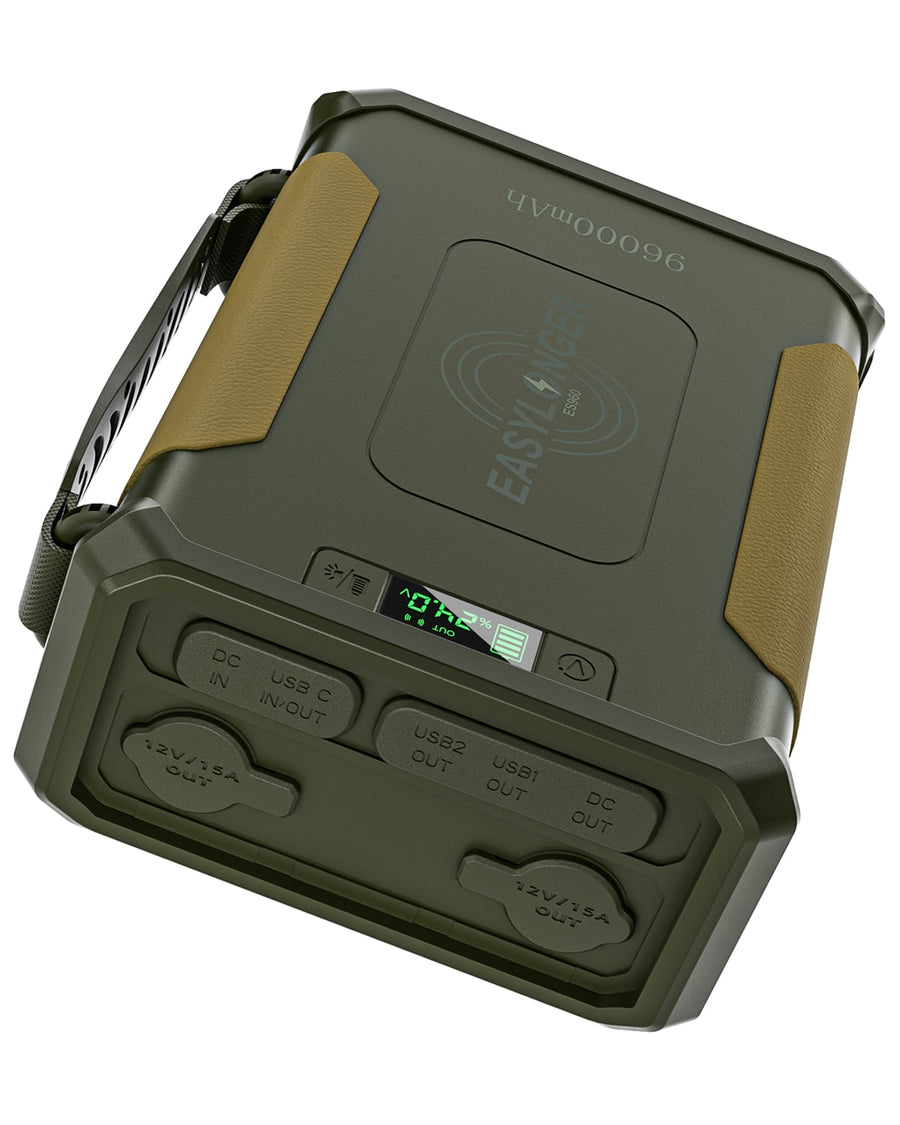 Buying guides
EASYLONGER ES960 LiFePO4 CPAP Battery: Features and Setup
Review ES960 LiFePO4 capacity, included cables and charging options, then confirm the connection and runtime for your CPAP.
Jan 10, 2025