For DreamStation 2, confirm the 12V path first
DreamStation 2 uses a nominal 12V DC power path, not a 24V setting selected because a plug fits. Match the exact machine, battery version, output and cable before comparing capacity. Philips' original accessories and an EASYLONGER compatible cable are separate routes with separate instructions.
After compatibility, decide whether heated humidification and heated tube must stay active. Plan around your actual settings and sleep duration, with a reserve and a reliable fallback. This guide does not assign an unverified fixed watt load or hour figure to DreamStation 2.
This guide is for CPAP/APAP power planning, not life-support or ventilator backup. If you cannot safely tolerate a treatment interruption, ask your care team to specify a backup plan before testing or relying on a battery.
Separate the original and compatible power routes
Philips original-equipment route
The current DreamStation 2 guide, DC power section describes the Philips Respironics DC power cord and battery adapter cable for operation from a 12V standalone battery. Philips' DreamStation 2 accessory brochure lists the shielded DC cord (1120746), shielded DC cord system (1120747), and battery adapter (532209); ask the equipment supplier which complete arrangement is appropriate, rather than combining parts by appearance.
EASYLONGER compatible route
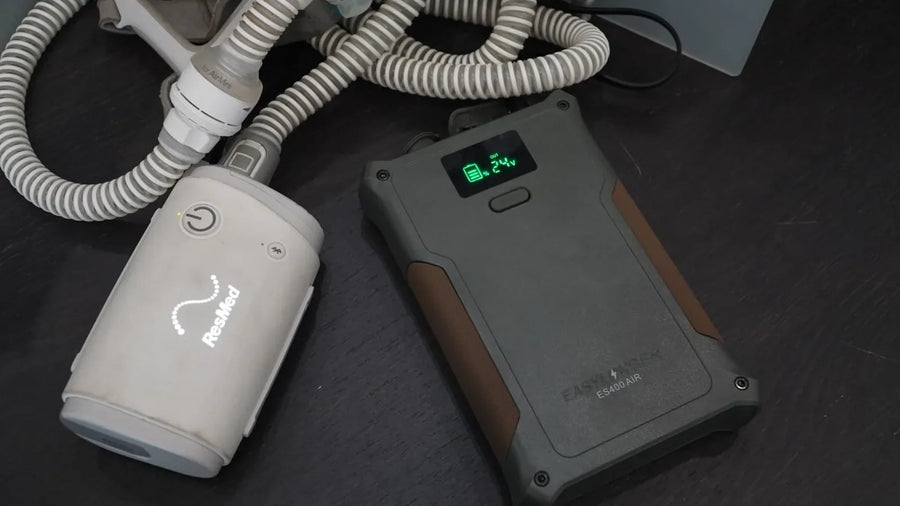
The current ES400 AIR manual separately lists a 12V, 5A DC output setting and an EASYLONGER DreamStation 1/2 compatible cable. This is EASYLONGER's third-party compatibility statement, not Philips endorsement. Use the named cable and port for the exact battery version, and confirm the supported startup and heating load; do not assume a voltage match alone covers every configuration.
Other battery versions need their own manual and cable check. Send the machine, battery and cable label photos to support if the complete combination or heated-humidifier/tube support is unclear. Some original accessories are shared between DreamStation generations, but a family name or matching plug is not sufficient proof.

Connect and check DreamStation 2 in five steps
-
1. Identify the exact route
Choose either the complete original-equipment arrangement or a separately documented compatible battery/cable arrangement. Read its instructions and confirm voltage, polarity, connector identification, continuous power and startup/heating support. Do not set 24V for DreamStation 2.
-
2. Charge and prepare reliable alternate power
Fully charge with the specified charger. Inspect the cable and battery for damage, position them according to their instructions, and keep normal power or another suitable fallback available.
-
3. Check briefly while awake
Check normal airflow and stable operation while awake. Stop if the machine loses power, reports a fault, or a connector becomes unusually hot. Do not keep a mask on without normal airflow; return to your reliable backup and investigate while disconnected. Keep prescribed settings unchanged, including the comfort features you intend to use. Do not repeatedly reconnect a failed setup or experiment with voltages.
-
4. Extend the check only with a safe fallback
After stable awake operation, extend testing only if an interruption can be handled safely and a working fallback is accessible. Record exact settings, elapsed hours and charge indicators. Do not intentionally run therapy until battery cutoff; charge bars are not a precise energy measurement.
-
5. Review reserve and special modes
If reserve is inadequate, arrange more capacity, recharging or another power plan. Change a comfort setting only when suitable for you and repeat the awake check; do not lower prescribed pressure. Verify any charge-through configuration independently against its specific manual.
If using the vehicle-battery route described by Philips, the device instructions say not to operate the device from a car battery while the engine is running. Do not substitute a generic vehicle adapter for the specified accessories.

Where the runtime goes
The blower, heated humidifier and heated tube do not have one universal combined load. Heating settings, pressure behavior, leaks, ambient conditions and battery condition affect the energy required. Size the backup around the settings you will actually use.
The runtime calculator accepts a planning load; it is not proof that DreamStation 2 consumes a particular number of watts at a given pressure. Its stated 82% usable-energy assumption and further 15% planning reserve are not DreamStation 2 test results. If a load figure already includes heating, do not add the heater again.
A compatible DC route can avoid converting battery power to household AC and back. It still has losses, depends on the correct electrical combination, and does not establish a guaranteed number of nights. A supply rating is not a constant operating draw.

Compare capacity and where it can be used
| Battery | Rated capacity | Where to consider it | Main limitation |
|---|---|---|---|
| ES270 | 99.9Wh | Compact travel shortlist | Below the FAA 100Wh size threshold; usable hours and airline acceptance still need confirmation. |
| ES400 AIR | 148Wh | More travel reserve or short outages | In the FAA airline-approval range; an airline may still refuse it. |
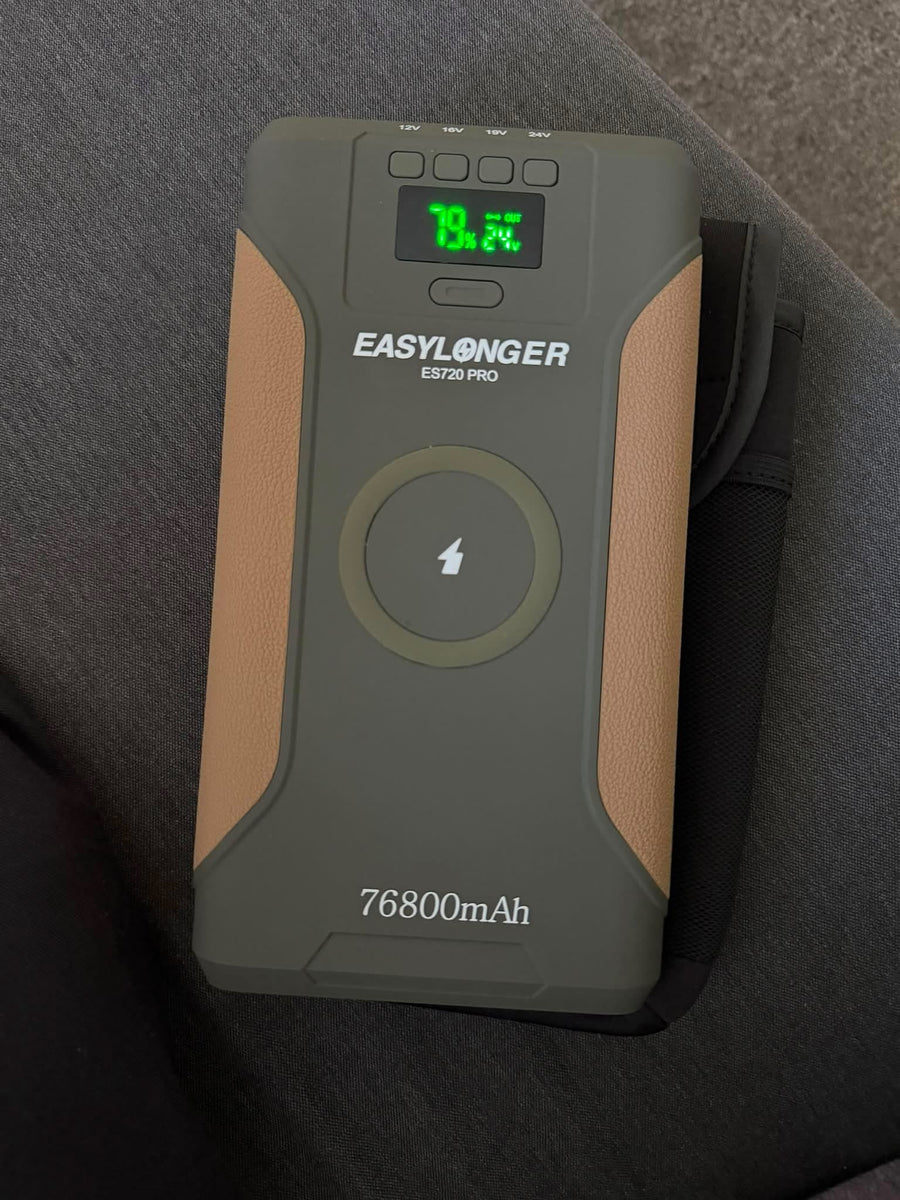
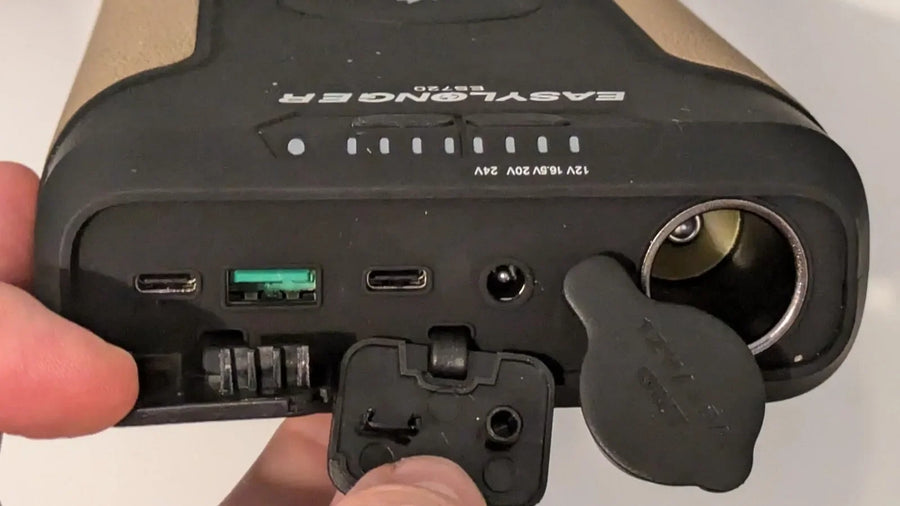
| ES720 | 266.4Wh | Ground travel or home backup | Not an ordinary passenger-air spare; check the exact ES720 version. |
| ES960 | 297.6Wh | Larger ground-use reserve | Not an ordinary passenger-air spare; capacity alone does not establish nights. |
This table compares rated energy and travel constraints, not a test of each battery on DreamStation 2. Confirm the exact battery version, cable and supported load before choosing. If heating must remain active, retain it in your plan rather than relying on a heat-off estimate.
Our recommendation by use case
For passenger travel, shortlist a compatible ES270 arrangement only when its demonstrated reserve covers your required use. Consider ES400 AIR when additional capacity is needed and the airline accepts it. For camping or home backup, compare ES720 and ES960 versions against actual operating hours and recharging options after checking compatibility.
For U.S. passenger baggage, FAA guidance treats spare lithium-ion batteries up to 100Wh differently from those over 100Wh and up to 160Wh, which require airline approval and are limited to two larger spares per passenger. Larger batteries are not allowed as ordinary passenger spares. Airlines and other jurisdictions may be stricter. Protect terminals, carry spares in the cabin, and remove them if the bag is gate-checked.
Carriage approval is separate from onboard use. Ask the operating airline about the exact DreamStation 2, battery, cable and required reserve before planning in-flight therapy. Follow the equipment instructions and do not rely on a seat outlet being available.
Use the runtime calculator with an average load appropriate to your actual setup. It is a planning tool, not a machine-specific test or an overnight guarantee; do not infer watts from prescribed pressure alone.
Official-site purchases include five-year warranty coverage. Purchases from other authorized platforms include three years, with an eligible upgrade to five years after registration; check the current warranty terms for your order.

DreamStation 2 battery questions
Can I use the same cable as DreamStation 1?
Some manufacturer accessories and some EASYLONGER cable listings cover both generations. Use only a part and complete power arrangement explicitly listed for DreamStation 2; do not assume interchangeability from the connector or family name alone.
Is DreamStation 2 a 24V machine?
No. The manufacturer evidence cited here identifies a nominal 12V DC path to DreamStation 2. A converter's upstream input label is a different specification; do not select 24V simply because a connector fits.
Why does heating change runtime?
Water and tube heating add to the blower load. The effect depends on settings and conditions. Plan for the configuration you need; this guide does not assign an unsupported fixed heater wattage or model-specific hour estimate.
Can ES960 fly?
Its 297.6Wh rating is outside the FAA ordinary passenger-spare range. ES270 is below the 100Wh size threshold; ES400 AIR is 148Wh and falls in the airline-approval range. Carrier acceptance and onboard-use permission still need separate confirmation.
Can I use pass-through charging?
Only when the exact battery, charging input and CPAP output support it. Charging and powering a CPAP at the same time does not guarantee zero-interruption UPS behavior. If the load exceeds the charging input, the battery can still drain. Test the documented arrangement while awake with reliable alternate power.
What should I send support?
Send the full DreamStation 2 model label, exact battery version, selected output and cable labels, plus the heating configuration and a brief description of the problem. Disconnect a failed setup before investigating; do not keep wearing a mask without normal airflow.
Sources and next steps
- Philips DreamStation 2 current user guide: DC power and safety instructions
- Manufacturer FDA submission K200480, Table 5-1 (PDF page 7): 12V supply output
- Philips DreamStation 2 brochure: original accessory part numbers
- EASYLONGER ES400 AIR manual: 12V output and DreamStation 1/2 compatible cable
- EASYLONGER support: other battery versions, cable checks and warranty
- FAA lithium battery guidance
- EASYLONGER runtime calculator
Manufacturer instructions and EASYLONGER compatibility information describe different products. The capacity shortlist above is not Philips certification of an EASYLONGER battery or a machine-specific runtime test.