
Build the backup plan before the storm
Start with the complete setup: confirm the CPAP's power requirements, the designated battery cable and a safe validation plan. Then plan for the first treatment period, later recharging and a fallback location with confirmed reliable power. A capacity label or advertised night count cannot answer all three questions.
This guide covers CPAP/APAP power planning. It is not a substitute for a professionally specified backup for a ventilator, life-support equipment or anyone who cannot safely tolerate a brief interruption. Agree the appropriate plan with your clinician and equipment provider, and follow local storm warnings and evacuation instructions first.
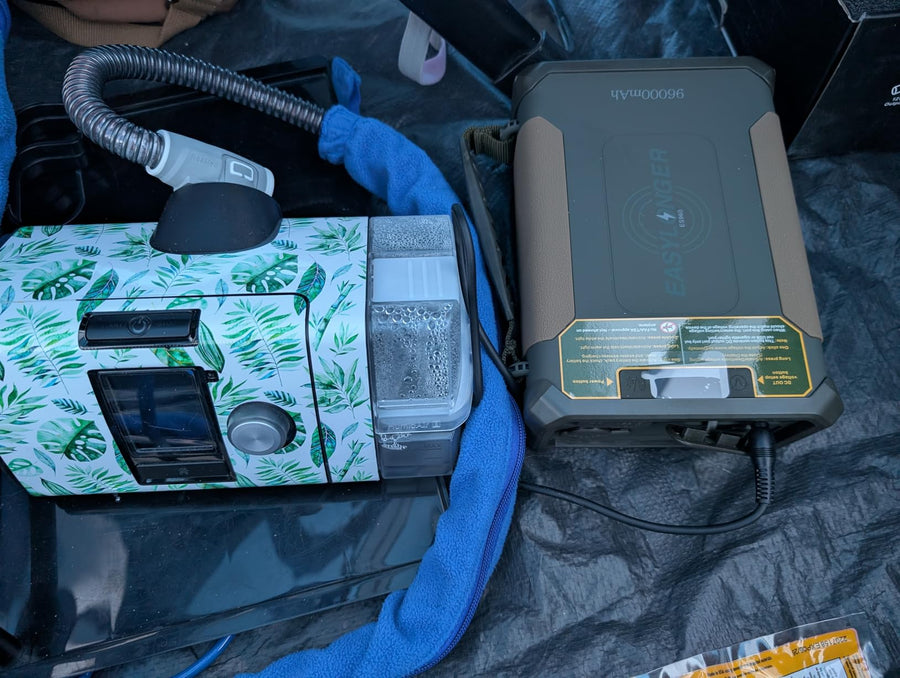
ES960 and ES960 PRO each provide a 297.6Wh LiFePO4 reserve for ground-based use. Whether either covers your treatment period depends on the actual load, comfort settings, connection and battery condition. No fixed number of hurricane nights is promised here.
Prepare the complete kit before hurricane season
-
1. Record requirements and contacts
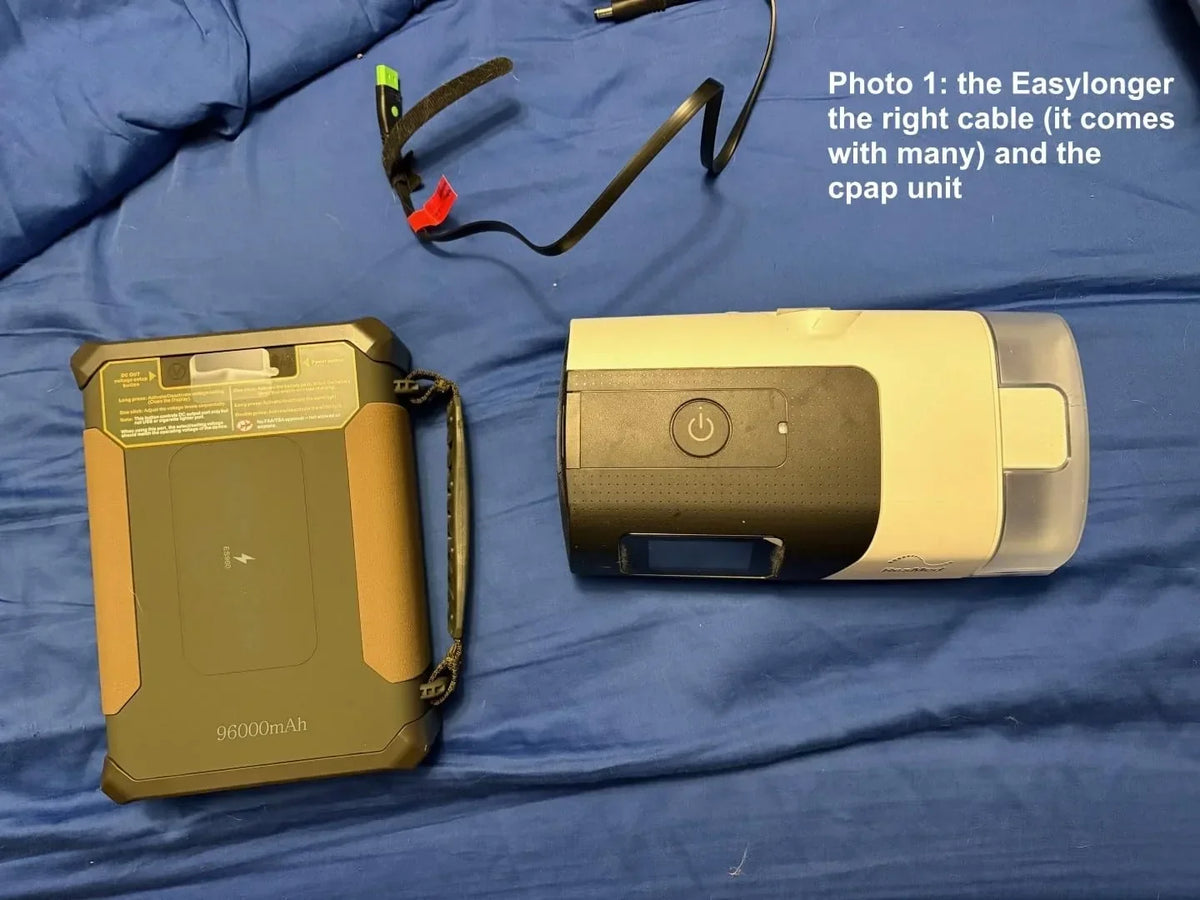
Keep the exact CPAP model, original adapter label, designated cable and battery model together with the equipment provider's contact details. Confirm voltage, polarity, current/startup capability and any required converter or device-specific identification. An EASYLONGER compatibility listing is our third-party connection guidance, not approval by the CPAP manufacturer; check its accessory restrictions separately.
-
2. Charge, label and inspect
Use the charger and connection allowed by the exact battery manual. Inspect for damage or moisture, label similar-looking cables, and keep the kit in a dry storage location. During operation and charging, follow ventilation and temperature instructions; do not operate a battery inside a closed carrying bag.
-
3. Start with a short awake check
Validate the permitted setup while awake, with reliable power immediately available. Check startup, the display and any errors. Only test an allowed pass-through or power-change arrangement if a brief interruption is safe for you. Stop if the device behaves abnormally, and restore the established safe setup.
-
4. Record a longer, appropriate check
When appropriate under your treatment and backup plan, record actual use hours, normal comfort settings and the remaining-charge indication. Do not sleep until the battery runs empty to discover its limit. Never lower prescribed pressure to save energy. If reducing humidifier or heated-tube settings is suitable under your care and equipment guidance, record that as a separate configuration rather than assuming the same runtime.
-
5. Verify safe recharge and relocation options
Check the allowed wall, vehicle or solar route before the emergency. Note where it is available, the observed charging time and what happens if it is unavailable. Confirm an alternative safe location and transport before the reserve needed for your next treatment period is at risk.
-
6. Keep a maintenance and packing record
Follow the model manual's maintenance-charge interval and storage limits. Recheck the battery before the season and after equipment changes. Keep the correct cable, charger, instructions, prescribed supplies and emergency contacts together; a single universal storage interval is not assumed for every model.

Use a layered outage plan
| Layer | Write down before the storm |
|---|---|
| First treatment period | Exact machine and cable, permitted settings, safely validated use duration and the additional reserve your plan requires. |
| Next recharge | A confirmed source, approved charger/connection, realistic access window and enough time to recharge. Solar availability is weather-dependent. |
| Decision to move | A conservative trigger agreed for your needs: act before the next treatment period plus travel and charging contingency is no longer covered. Do not rely on a universal percentage threshold. |
| Failure or evacuation | A safe destination with confirmed power, transport, equipment/medical contacts and the packed kit. Follow evacuation orders even if the battery is still charged. |
Keep the CPAP reserve separate from optional phone, lighting or other loads until they are included in the plan. If AC household appliances also need backup, size a suitable power station for their combined continuous and startup loads. It may also offer a compatible DC CPAP route, but that must be checked for the exact equipment.
If power fails unexpectedly, restore the established safe supply or activate the agreed emergency plan first. Once stable, collect labels, errors and connection details for support. Do not delay urgent medical help to photograph or troubleshoot a battery.
Make recharge safety part of the plan
Water, heat and damaged equipment
Do not connect wet cords, batteries or medical equipment, or use damaged equipment to recover the schedule. Keep operating equipment dry, ventilated and within its temperature limits. After power returns, check the CPAP's settings and function against its instructions. See the FDA's medical-device disaster guidance.
Generators and vehicles
Never run a portable fuel-powered generator in a home, basement or garage, even with doors open. Keep it outside at least 20 feet from doors, windows and vents, with exhaust directed away, and follow the generator's safety instructions. Do not run a vehicle in an enclosed area or where exhaust can enter a building. Use working carbon-monoxide alarms. The CDC generator safety guidance explains the separation rule.
Check that the battery charger and medical equipment are permitted to use the proposed source. Vehicle-charging instructions and direct vehicle-powered CPAP instructions are not interchangeable; follow each manufacturer's engine-running and connection restrictions.
Solar and a missed charging window
A panel's rated wattage is not its guaranteed output after a hurricane. Cloud, shade, damage and unsafe outdoor conditions can prevent charging. Confirm the panel's electrical input compatibility and approved cable with the battery instructions before use. Never enter dangerous weather, floodwater or a restricted area to keep a charging plan on schedule.
If the safe recharge window is lost, use the prearranged fallback while sufficient reserve remains. Do not wait for an empty battery or assume a shelter has the required power without checking.

Estimate duration, then protect the reserve
Rated watt-hours are stored energy, not a guaranteed quantity delivered to a CPAP. Output conversion, the actual load, temperature and battery condition all affect duration. Humidifier and heated-tube settings can materially change energy use; plan for the configuration you actually need rather than relying on a heat-off example.
Illustrative arithmetic only: 297.6Wh × an assumed 0.82 usable-energy factor ÷ a hypothetical 20W average load gives about 12 hours. Applying a separate illustrative 0.85 planning factor gives about 10 hours. Neither factor is a measured ES960 efficiency or a universal safety margin. This is not a test of any named CPAP and does not promise an overnight result.
Use the runtime calculator as an initial planning aid, review its assumptions and compare them with a safely validated setup. The maximum rating on a wall adapter is not the machine's average overnight draw. Battery bars and percentage displays also have uncertainty; they do not directly measure remaining treatment hours.
Pass-through charging, when supported for the exact port arrangement, means charging and device output can occur together. It does not establish UPS performance or guarantee uninterrupted power. The battery may still lose charge when the load exceeds incoming charging power. Follow the documented sequence and do not introduce an untested configuration during the storm.

Choose the reserve that fits your whole plan
Consider ES960 or ES960 PRO when the CPAP is the primary load and a documented DC connection meets its requirements. Both are 297.6Wh LiFePO4 models. PRO adds a numeric percentage display and different output/charging options; it does not automatically offer longer runtime simply because it is named PRO.
Check the exact version's ports, charger and included cables before purchase. These models do not provide a built-in household AC outlet. A suitably specified power station may be a better fit for mixed AC loads, a larger reserve requirement, or an existing compatible setup.
If evacuation could involve passenger air travel, plan separately: the ES960 family's capacity exceeds the ordinary 160Wh upper limit for this spare-battery route. ES270 at 99.9Wh and ES400 AIR at 148Wh fall in different U.S. size categories; ES400 AIR requires airline approval under that baseline. Spare batteries must stay in the cabin with terminals protected, and carriers may impose stricter conditions. Check the operating carrier's current carrying and usage rules through FAA guidance and the airline before travel.
Purchases from easylonger.com include a five-year warranty. Purchases from other authorized platforms include three years; eligible purchases can be registered for the five-year upgrade under the posted terms and verification. Warranty coverage does not replace a failure or evacuation plan.

Hurricane backup questions
How many nights will one ES960 run my CPAP?
There is no universal answer. Use the exact machine, required settings, planned hours and verified connection, then validate safely with appropriate reserve. A formula or another customer's experience does not guarantee the result for you.
Should I leave the battery plugged in all season?
Follow the exact battery manual's charging and pass-through instructions. Do not assume that continuous connection is allowed, that output is uninterrupted, or that charging input always exceeds the load. Keep a maintenance-check schedule.
What if I need the humidifier or heated tube?
Plan for that load. Only consider reducing comfort heat when appropriate under your care and equipment guidance. Never reduce prescribed pressure or use an incompatible power supply to fit an estimate.
Can I charge phones from the same battery?
Only within the documented port and total-output limits, and after accounting for the energy removed from the CPAP reserve. Separate phone power can make the emergency allocation easier.
What if solar cannot recharge the battery?
Use the planned safe alternative before the required reserve is lost. Do not depend on a daily solar refill, go outdoors in unsafe conditions or wait until the battery is empty to arrange reliable power.
What should I do if the machine stops?
Restore your established safe power or activate the agreed emergency plan first, and seek medical help when needed. Do not keep retrying a wrong voltage or damaged cable. After the situation is stable, send support the exact labels, error message and connection details.
Sources and preparedness tools
Use official emergency instructions and the manuals for your exact equipment. EASYLONGER specifications describe our products; they do not replace the CPAP manufacturer's accessory requirements or an individual care plan.