

Can Your Smartwatch Detect Sleep Apnea? 2026 Guide
Compare smartwatch sleep-apnea notifications with general wellness tracking, understand their limits, and know what to discuss with a clinician.
By EASYLONGER · Apr 29, 2026 ·
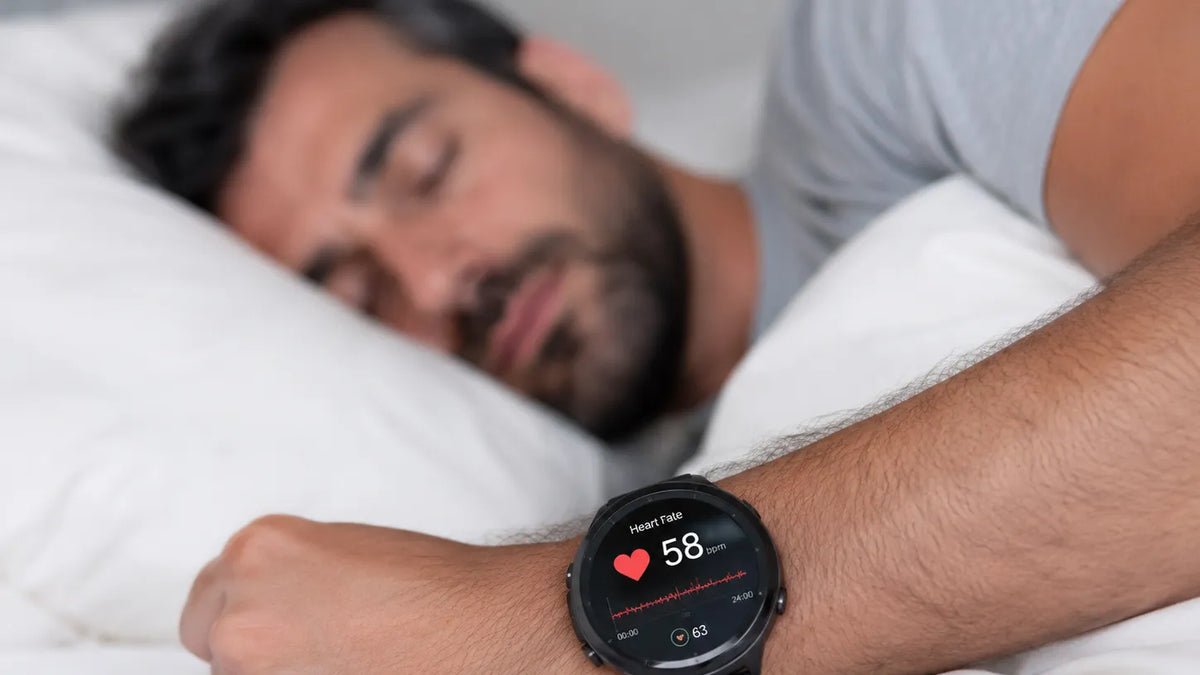
Quick answer: Use this guide for education and for preparing questions for your clinician. Sleep-apnea symptoms, diagnosis, PAP settings, and treatment decisions should be reviewed with a qualified healthcare professional.
Samsung announced U.S. authorization of its sleep-apnea feature in February 2024; Apple's notification feature followed in September 2024. These features have specific eligibility limits. General oxygen or sleep scores on other wearables are not equivalent apnea-screening features.
This guide compares sleep-apnea notifications and general sleep-tracking features, then explains how to discuss an alert or symptoms with your clinician.
How Smartwatches Detect Sleep Apnea
Smartwatches don't measure airflow like medical sleep studies do. Instead, they use indirect signals:
- Blood oxygen (SpO2) — Some devices estimate overnight oxygen changes. A low reading has several possible causes and cannot establish sleep apnea by itself.
- Heart rate variability — Some wearables display this general wellness metric; it is not interchangeable with a clinical AHI.
- Movement / accelerometer — Apple's feature uses wrist accelerometer data to estimate breathing disturbances.
- Microphone — Some sleep apps record sounds. Snoring recordings alone cannot diagnose apnea.
Which signals an algorithm uses depends on the device. A notification should prompt clinical discussion; diagnosis uses an appropriate sleep test selected by a healthcare professional.

The Major Smartwatches Compared
Apple Watch (supported models)
Apple's feature evaluates breathing disturbances across a 30-day period. Eligibility includes adults aged 18 or older without a previous sleep-apnea diagnosis; supported hardware, software and country availability must be checked.
Useful for: eligible users who want notifications to discuss with a clinician. Limits: it does not diagnose apnea or monitor its treatment; no alert does not rule out the condition.
Samsung Galaxy Watch (supported models)
Samsung's U.S. feature uses overnight blood-oxygen data and the Samsung Health Monitor app. Its stated intended population is adults aged 22 or older who have not been diagnosed with sleep apnea; check current compatibility and regional availability.
Useful for: eligible users with a compatible Galaxy watch and phone. Limits: it checks for signs of moderate-to-severe OSA, and is not a diagnosis or treatment monitor.
Fitbit (Charge 5, Sense 2, and later)
Compatible Fitbit devices provide oxygen estimates for general wellness. Features vary by device, app version and region; check the current manufacturer's instructions.
Useful for: general sleep and wellness trends. Limits: these oxygen features must not be used for medical diagnosis or treatment decisions.
Garmin (Venu, Forerunner, Fenix series)
Supported Garmin devices offer Pulse Ox and sleep insights. Some also display breathing-variation information; Garmin describes these as general wellness features.
Useful for: following general activity and sleep trends. Limits: readings are estimates, not medical measurements for diagnosis or monitoring.
| Watch | Feature type | Best For |
|---|---|---|
| Apple Watch (supported models) | Authorized apnea notifications | Eligible adults without diagnosed sleep apnea |
| Galaxy Watch (supported models) | Authorized apnea feature | Eligible adults with compatible Galaxy devices |
| Fitbit | General wellness oxygen tracking | General sleep tracking |
| Garmin | General wellness tracking | Activity and sleep trends |
What If Your Watch Says You Have Sleep Apnea?
First, don't panic — and don't ignore it either. A watch alert is a screening signal, not a diagnosis. But it's a strong enough signal to warrant proper testing.
- Schedule a primary care visit. Bring your watch data — most apps export PDF summaries. Your doctor will review symptoms and likely refer you to a sleep specialist.
- Follow the testing plan. Your clinician will decide whether an in-lab or home test suits your symptoms and health history.
- If diagnosed, discuss treatment. Options depend on apnea type, severity and your health. Your clinician will explain suitable therapy and follow-up.
Repeated oxygen changes, witnessed pauses, gasping or daytime sleepiness warrant clinical discussion, even when the watch shows no alert.
For Existing CPAP Users: Understand the Limits
If you already have a diagnosis, follow your care team's monitoring plan. Consumer sleep scores and apnea notifications do not replace PAP treatment data or clinical review.

- Understand different metrics. Machine-reported AHI and watch breathing disturbances use different measurements and cannot be expected to match.
- Keep prescribed therapy consistent. Do not skip CPAP to compare watch scores; use the machine's usage record when discussing missed treatment.
- Record how you feel. Sleep timing and daytime symptoms can add context to a clinical discussion, without treating watch scores as proof of treatment success.
- Report discomfort. Persistent symptoms deserve review. Our CPAP discomfort guide explains observations to share without changing prescribed pressure.
Power planning: A compatible, tested battery setup such as the ES720 PRO can support therapy during an outage. Check the machine, cable and required runtime together.
Frequently Asked Questions
Can my smartwatch replace a sleep study?
No. These notifications do not replace diagnosis. Your clinician chooses an appropriate sleep test; home tests and laboratory studies do not necessarily collect the same signals.
My smartwatch never flags anything but I think I have apnea. Should I trust it?
An absent alert does not rule out sleep apnea. Discuss loud snoring, gasping, witnessed pauses or daytime sleepiness with your clinician regardless of the watch result.
What about smart rings like Oura?
Smart rings may report sleep, oxygen or breathing information. Check the exact feature's current intended use and regional authorization; a wellness score is not equivalent to a diagnostic test.
Can I wear a smartwatch while using CPAP?
You can follow your wearable's instructions for general sleep tracking, but do not use its scores or apnea notifications to confirm that prescribed CPAP is working. Ask your clinician which treatment data to review.
My partner says I stop breathing at night. Should I just buy a CPAP?
Arrange a clinical assessment before buying prescription PAP equipment. After diagnosis, suitable adults may start clinician-managed APAP at home or have laboratory titration; a separate titration night is not required for everyone.
Take therapy seriously
Already on CPAP? Plan for power interruptions
A compatible, tested battery setup can help keep the CPAP powered during an outage or trip for the verified runtime. It supplies power; it does not measure or change treatment effectiveness.
Shop CPAP Batteries → Try Runtime Calculator
Questions? Email support@easylonger.com — Brooks will help.
Device information
Check the current instructions from Apple, Samsung, Google/Fitbit and Garmin for the exact supported feature and eligibility.
When to involve your care team
Contact your sleep clinician or equipment provider if symptoms continue, your mask leaks, treatment feels uncomfortable, or you are considering pressure or therapy changes. Do not use a blog post as a substitute for diagnosis or individualized medical advice.
Continue learning
Review the sleep-apnea library and the CPAP-therapy library for related education and practical questions to discuss with your care team.
Run the numbers for your CPAP.
Pick your machine and settings. The calculator shows nights for every battery.
Keep reading
 CPAP & sleep health
7 Sleep Apnea Apps Worth Your Attention in 2026
Compare CPAP data apps, sleep-tracking tools and a simple therapy log, with practical guidance on compatibility, syncing and clinical follow-up.
Apr 23, 2026 CPAP & sleep health
Exercise and Sleep Apnea: What Physical Activity Can and Cannot Do
Explore how physical activity and guided orofacial exercises may support a sleep-apnea treatment plan alongside prescribed therapy.
Dec 2, 2025 CPAP & sleep health
Sleep Apnea Facts and Statistics: What Patients Should Know
Understand widely cited sleep-apnea estimates, their dates and study populations, plus the practical implications for diagnosis and treatment.
Jan 2, 2025